
Turn iCloud into a kanban board.
Apple Mail's flat list works fine for a tidy inbox. It works less well when school newsletters, Hide My Email sign-ups and unpaid invoices all land in the same place.
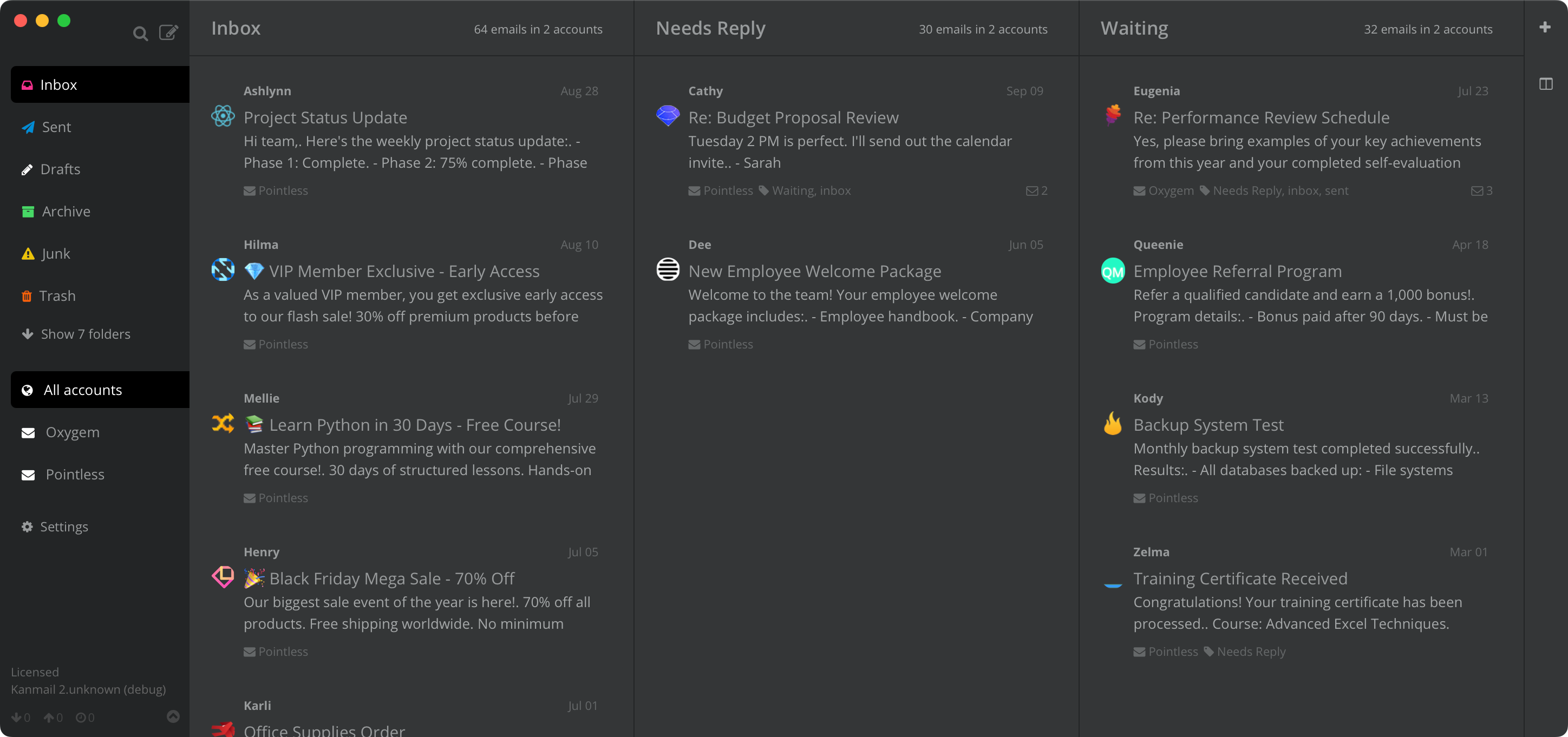
Your iCloud inbox is the
household filing cabinet.
The mailboxes you've already made — Family, House, Receipts — do real work, but they live in a sidebar nobody opens. Kanmail lines them up as columns instead, so you can see what's where at a glance.

Mailboxes as columns.
Whatever you've already organized lines up across the screen. Move a message and iCloud updates instantly; open Mail on your phone and it's already filed.

A board for every part of life.
A household board for school and bills, another for a side project, another just for receipts. Each remembers its own columns, and switching is one click.

Every Apple ID in one place.
Your current iCloud, an old @me.com, the shared family account: all in one workspace with a different color each, so you can tell at a glance which address a thread landed on.
In practice
School emails, contractor quotes and travel bookings move across the board instead of sharing one scrolling list. A glance tells you what still needs an answer and what's waiting on someone else.

Your mail stays between you and Apple.
Sign in with an app password
Apple ID enforces two-factor auth, so third-party clients use an app-specific password. Generate one in your Apple ID settings, paste it into Kanmail, and you're set. It's separate from your Apple ID password, you can revoke it whenever you like, and Kanmail never sees your real Apple ID password.
No cloud in the middle
Kanmail connects straight to iCloud from your Mac, with no server of ours in between and no copy of your mail anywhere else. Tracker pixels and remote images are blocked by default, so senders can't tell when you opened their email.
Try Kanmail with iCloud
$49. Once.
Free to try for as long as you like. Pay once and it's yours.
macOS, Windows & Linux
Also: Kanban for Gmail · Outlook · Fastmail · Yahoo · Proton Mail