Email on your Mac, as a kanban board.
Kanmail is a Mac email client that turns your inbox into columns you drag messages through, with Gmail, iCloud, Outlook and every other account on one board.
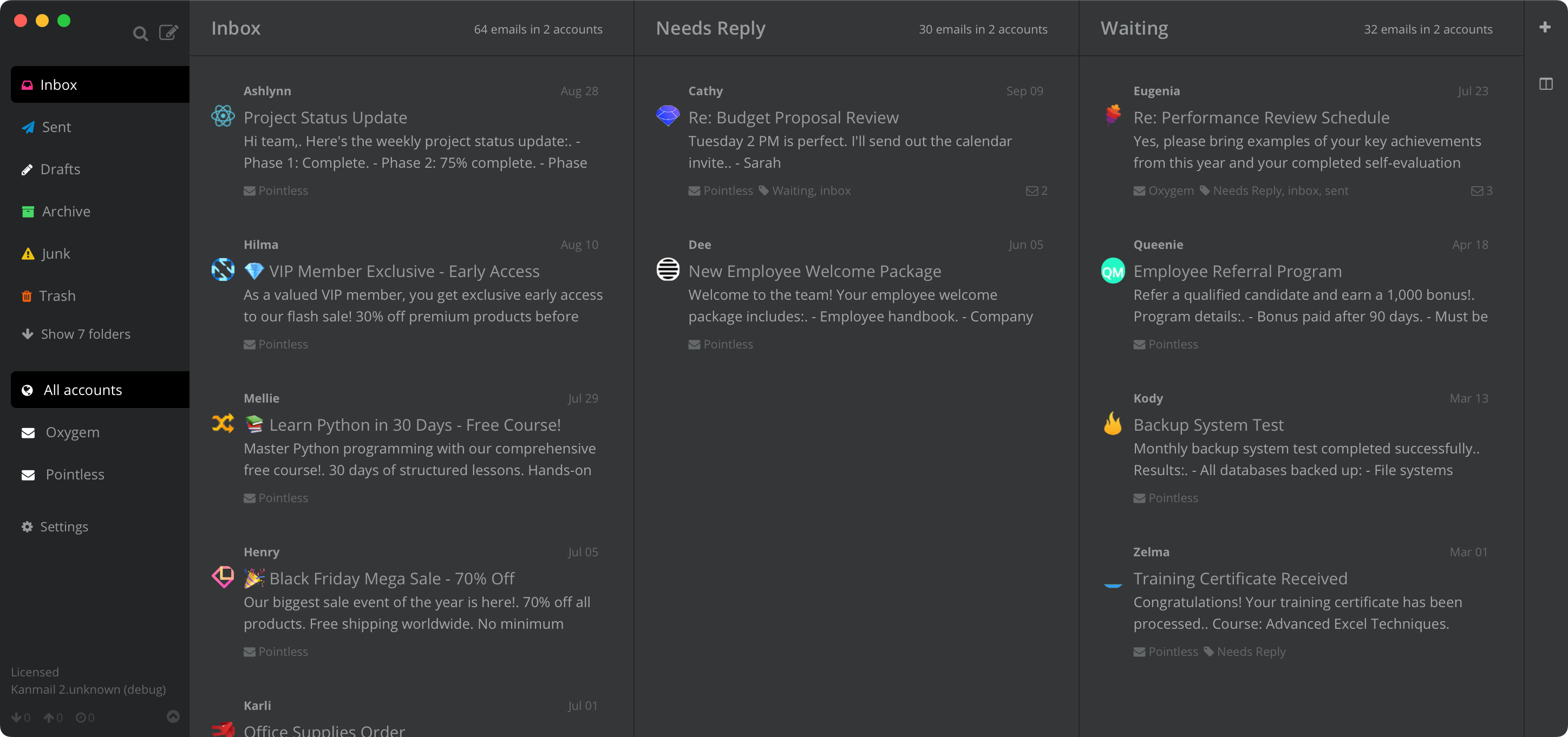
Plenty of Mac mail apps.One shape: a list.
Apple Mail is free and already on your Mac. Mimestream is excellent if every account you have is Gmail. Spark and Airmail add smart sorting and automation, with the full set on a subscription. Underneath, each one shows your mail as a list. Kanmail lays it out as a board instead, works with any IMAP account, and costs $49 once.
Your folders,as columns.
Pick the folders or Gmail labels that matter and Kanmail lays them out side by side. Dragging a card files the message on the server too, so Mail on your iPhone sees the same folders. Save one set of columns for clients and another for life admin, then switch between them with ⌘1-9.

Hands on the keyboard.
Enter archives, M moves to another folder and Z undoes. ⌘K opens a command palette for everything else, and / searches every account at once, with Gmail's own operators on Gmail accounts.

iCloud, Gmail and the work account.
Add every account you have and Kanmail merges them into one board, tinting each a different colour so you never reply to a client from the wrong address. iCloud connects with an app-specific password, Gmail and Outlook through their own sign-in pages.

Installing
Three steps,signed and notarised.
Honest note: Kanmail shows no notification banners and plays no sounds. New mail lands on the board and in the Dock badge instead. There is no iPhone app either, so keep Apple Mail on your phone; both see the same folders.
On the Mac
Apple silicon or Intel, light or dark
Dock badge · ⌘ shortcuts · mailto: links · Updates in one click
The Dock icon shows how many unread threads are waiting in your inbox, and Kanmail follows macOS light and dark mode, inside emails too. Choose Kanmail as the default email reader in Apple Mail's General settings and mailto: links on any web page open a Kanmail compose window. When a new version is out, an Update Kanmail link appears in the sidebar; one click downloads it and checks its checksum, and a restart finishes the job.

Your mail never touches our servers.
Local-first, by design
Kanmail runs on your Mac and talks straight to your provider over IMAP. Messages cache locally and stay there, with no sync service of ours in the middle. Tracking pixels are blocked and remote images hidden by default.
Secrets in your Keychain
Passwords and sign-in tokens live in the macOS Keychain, never in a config file. Gmail and Outlook sign in through their own pages, so the app never sees those passwords, and Kanmail is source-available if you would rather read the code than take our word for it.
Getting started · Security overview · Switching from Apple Mail, Mimestream or Spark
No subscription, on any platform
$49. Once.
Free to evaluate for as long as you need, no card. Then it is $49 once for one person, unlimited devices, on any mix of Mac, Windows and Linux, and it covers every Kanmail v2 release.
Universal app · Apple silicon & Intel
Also: Kanban for iCloud · Gmail · vs Apple Mail · vs Mimestream · vs Spark · vs Airmail · vs Canary