
Turn Proton Mail into a kanban board.
Kanmail connects through Proton Mail Bridge and lays your folders out as columns you can drag email between, without giving up end-to-end encryption.
Private email,
organized like work.
You moved to Proton for the encryption, not the workflow. Kanmail puts your folders side by side as columns, so sorting mail is dragging cards across a board instead of hunting through a sidebar.
Folders become
columns.
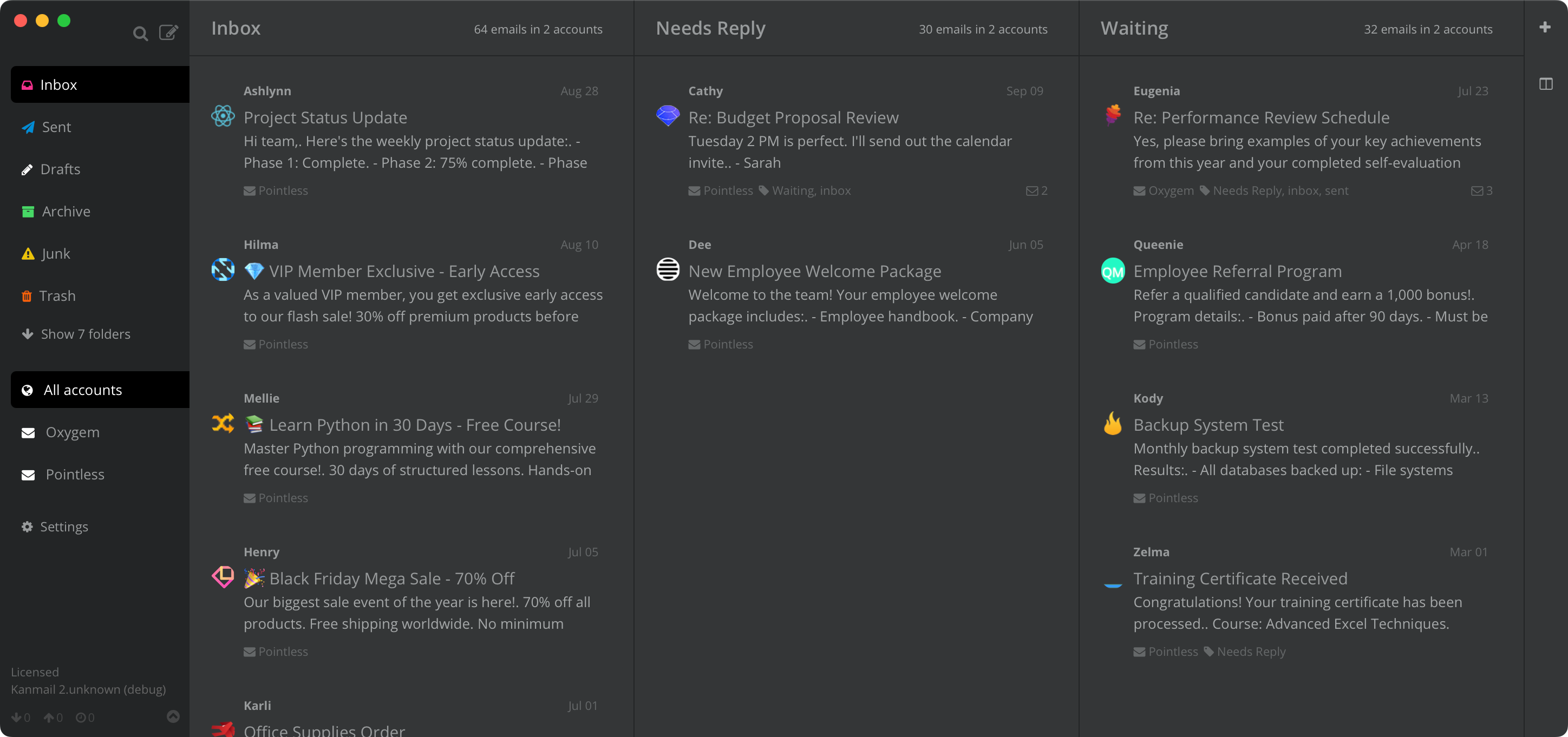
Pin the folders you work from next to each other and drag threads through them as things progress. Every move syncs back through Bridge, so the Proton web app and your phone stay in step.

A board per project.
Save one board for client work, another for personal admin. Each remembers exactly which folders in which order, and switching is a keystroke.

Proton plus everything else.
Keep your Proton account on the same board as the Gmail or Outlook accounts you haven't escaped yet. Each gets its own color accent, so you never reply from the wrong address.

In practice
A consultant's board
Inbox → Needs Reply → Waiting
Every engagement in flight is a card somewhere on the board. What's owed to a client sits in Needs Reply, what's blocked on one sits in Waiting, and nothing gets invoiced late because it slipped down a list.

Your mail never leaves your machine unencrypted.
Works with Proton Mail Bridge
Bridge, Proton's own app for paid plans, decrypts your mailbox locally and serves it to email clients over IMAP on your machine. Point Kanmail at the settings Bridge shows you and you're connected; your Proton password and decrypted mail never leave the device.
Nothing of ours in between
Kanmail talks to Bridge on your machine, and Bridge talks to Proton; there's no Kanmail server anywhere in the chain. Tracking pixels and remote images are blocked by default, on top of the protections Proton already gives you.
Try Kanmail with Proton Mail
$49. Once.
Free to try for as long as you like. Pay once and it's yours.
macOS, Windows & Linux
Also: Kanban for Gmail · Outlook · iCloud · Fastmail · Yahoo