Kanmail vs Apple Mail
Apple Mail is free, native, and already on your Mac. Kanmail is a paid board that runs on every desktop OS and blocks trackers by default. Here’s the honest side-by-side, including where Apple Mail is the better pick.
 Kanmail
$49
once · yours forever
- ✓Kanban board, per-account colours
- ✓Mac, Windows & Linux
- ✓Tracking pixels blocked by default
Free
built into macOS & iOS
- –Classic list & folders
- –Apple devices only
- –Proxies pixels, doesn’t strip them
Side by side
Apple Mail wins real rows below, mobile most of all. We left them green rather than pretend otherwise.
KanmailApple Mail is free on macOS & iOS. “Protect Mail Activity” hides your IP by routing images through Apple, but pre-loads remote content rather than blocking it. Verified July 2026.
It’s free and already
on your Mac. Why switch?
Honest answer: a lot of people shouldn’t, and we’ll say that up front. Apple Mail is genuinely good for one or two accounts read on Apple devices.
You outgrow it in three specific ways. When you’re juggling several accounts and want them on one board instead of one merged list. When you want a workflow, columns you move mail through, rather than a chronological pile. And when you want the same client on Windows or Linux, not only the machines with an Apple logo.
There’s also the quiet privacy gap. Apple’s “Protect Mail Activity” hides your IP address, which is good, but it does so by pre-loading every remote image, tracking pixels included. Kanmail hides remote images by default, so the open signal never fires at all.
If none of that is you, keep Apple Mail. If one of them is, the board is what you’re missing.
Ready to move? Follow the step-by-step switch guide → Nothing to export, nothing at risk.
Board, not a list
A unified list is
still one long list.
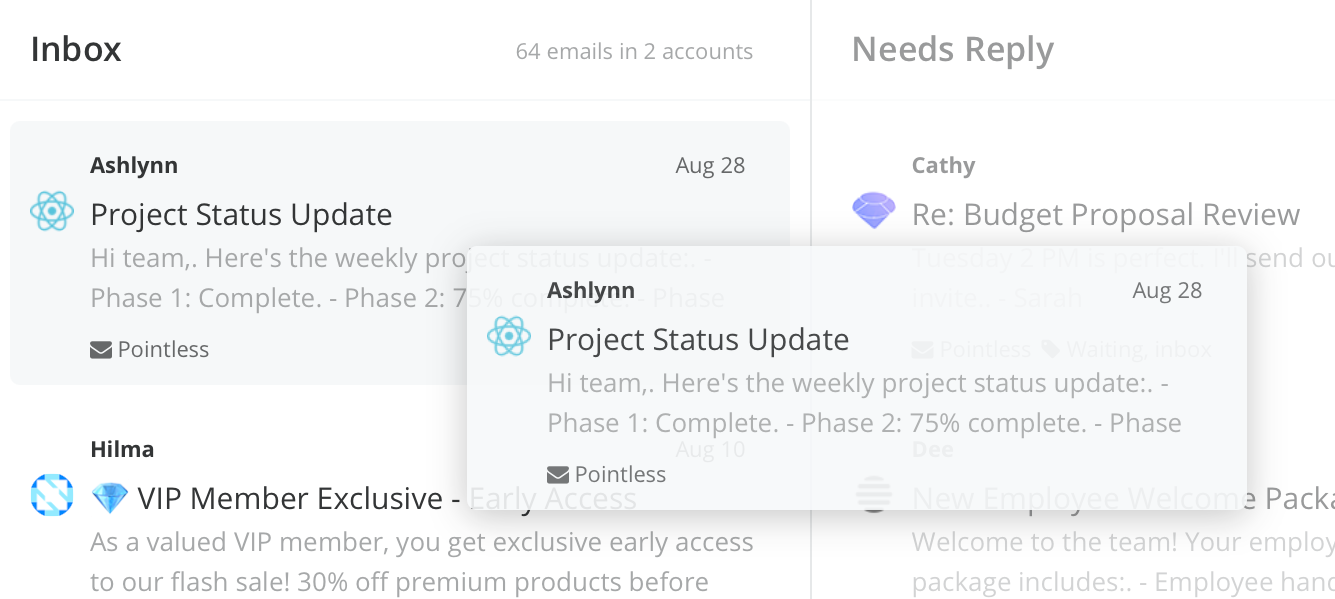
Apple Mail can merge every account into a single inbox, but it’s still a scroll from newest to oldest. Kanmail makes each account a colour and each message a card, sorted into columns you actually move through.
Beyond the Apple ecosystem
Every account, every OS.
Apple Mail stops at devices with an Apple logo. Kanmail is the same app and the same licence on Mac, Windows and Linux, so switching machines doesn’t mean switching client.
Tracking, actually blocked
Not proxied. Blocked.
Protect Mail Activity hides your IP but still loads the pixels. Kanmail hides remote images by default, so senders can’t tell when, or whether, you opened their mail.
Where Apple Mail wins
If these matter more to you than a board or a second OS, Apple Mail is the right call, and we won’t pretend otherwise.
Free and native
Built into macOS, tuned by Apple, and it costs nothing. On a Mac it feels like part of the system, because it is.
A real phone inbox
iPhone and iPad apps that sync seamlessly with the desktop. Kanmail is desktop only, so if mobile is your main inbox, Apple Mail wins outright.
Deep system hooks
Handoff, system notifications, the share sheet, Contacts and Calendar all wired in. A cross-platform app can’t reach that far into macOS.
More than one account? More than a Mac?
$49. Once.
Try Kanmail free for as long as you need, no card, no limit. Keep Apple Mail on your phone and run the board on your desktop.
Wondering how paying once works? The email client you buy once →