Kanmail vs Thunderbird
Thunderbird is the free, open, do-anything classic. Kanmail is a paid board that’s ready to live in the moment you open it. Both run everywhere and connect to any provider, so here’s where they actually differ.
 Kanmail
$49
once · yours forever
- ✓Kanban board, built in
- ✓Tracking pixels blocked by default
- ✓Ready to use, nothing to set up
Free
open source, community-run
- –Classic list & folders
- –You configure and theme it
- –Pixel blocking is manual
Side by side
Thunderbird genuinely wins several rows below. We left them green, because pretending otherwise would waste your time.
KanmailThunderbird is free and open source (MPL), on Mac, Windows and Linux, with a companion Android app. Verified July 2026.
Thunderbird is free.
Why would you pay $49?
It’s the right question, and we won’t dodge it. Thunderbird is free, open, and can be bent into almost anything. What you’re paying Kanmail for isn’t features you could bolt on. It’s a shape.
Out of the box, Thunderbird is a classic three-pane mail client: a list, some folders, and years of settings waiting to be tuned. That’s a strength if you love building your own setup. It’s a cost if you just want to open the app and work.
Kanmail arrives already opinionated. Your inbox is a board, your messages are cards, and triage means dragging things into columns instead of reading top to bottom. Tracking pixels are already blocked, remote images already hidden. Nothing to install, nothing to configure.
So the $49 isn’t buying you what Thunderbird lacks. It’s buying you a considered default you don’t have to assemble yourself.
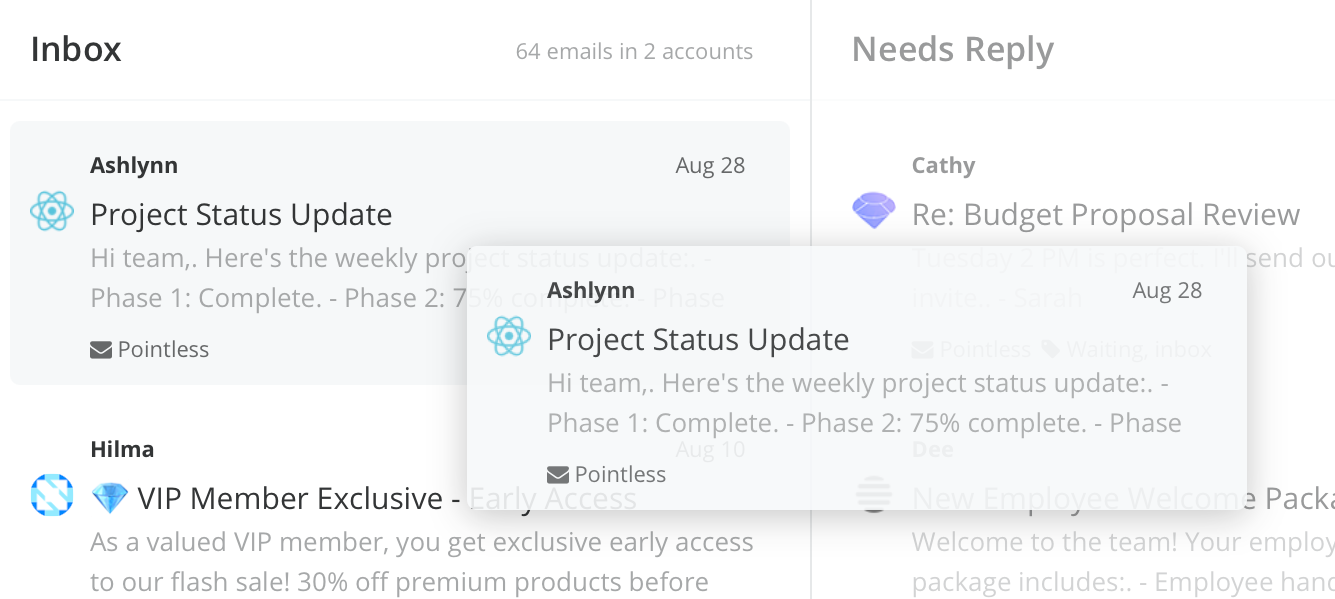
Board, not a list
A three-pane list is
still a list.
Thunderbird gives you a faster, more configurable version of the inbox you already know. Kanmail changes the shape: columns you drag cards through, so what’s in flight stays visible instead of scrolling out of sight.
Ready the moment you open it
No setup project.
Thunderbird rewards tinkering with themes, add-ons and settings. Kanmail asks for none of it, because there’s nothing to tune. The good defaults are already on, on Mac, Windows and Linux alike.
Privacy without an add-on
Pixels blocked by default.
In Thunderbird, reliably blocking tracking pixels means digging through settings or reaching for an extension. In Kanmail it’s simply the default: remote images hidden, so senders can’t tell when you opened anything.
Where Thunderbird wins
A comparison that only flatters us wouldn’t be worth reading. On these, Thunderbird is the better choice, and we’ll say so plainly.
Free, and open
Zero cost and a fully open codebase anyone can audit. Kanmail is paid and source-available, not open source. If either matters to you, Thunderbird has it.
One app for everything
Mail, calendar, contacts, feeds and newsgroups in a single window, plus a deep library of add-ons. Kanmail does mail on purpose, and leaves the rest alone.
It goes mobile
Thunderbird for Android puts the same project in your pocket. Kanmail is desktop only, so if a phone inbox is essential, that’s a real gap.
Want the board without the setup?
$49. Once.
Try Kanmail free for as long as you like. No card, no time limit. Keep Thunderbird installed alongside it while you decide.
Wondering how paying once works? The email client you buy once →