Email on Windows, as a kanban board.
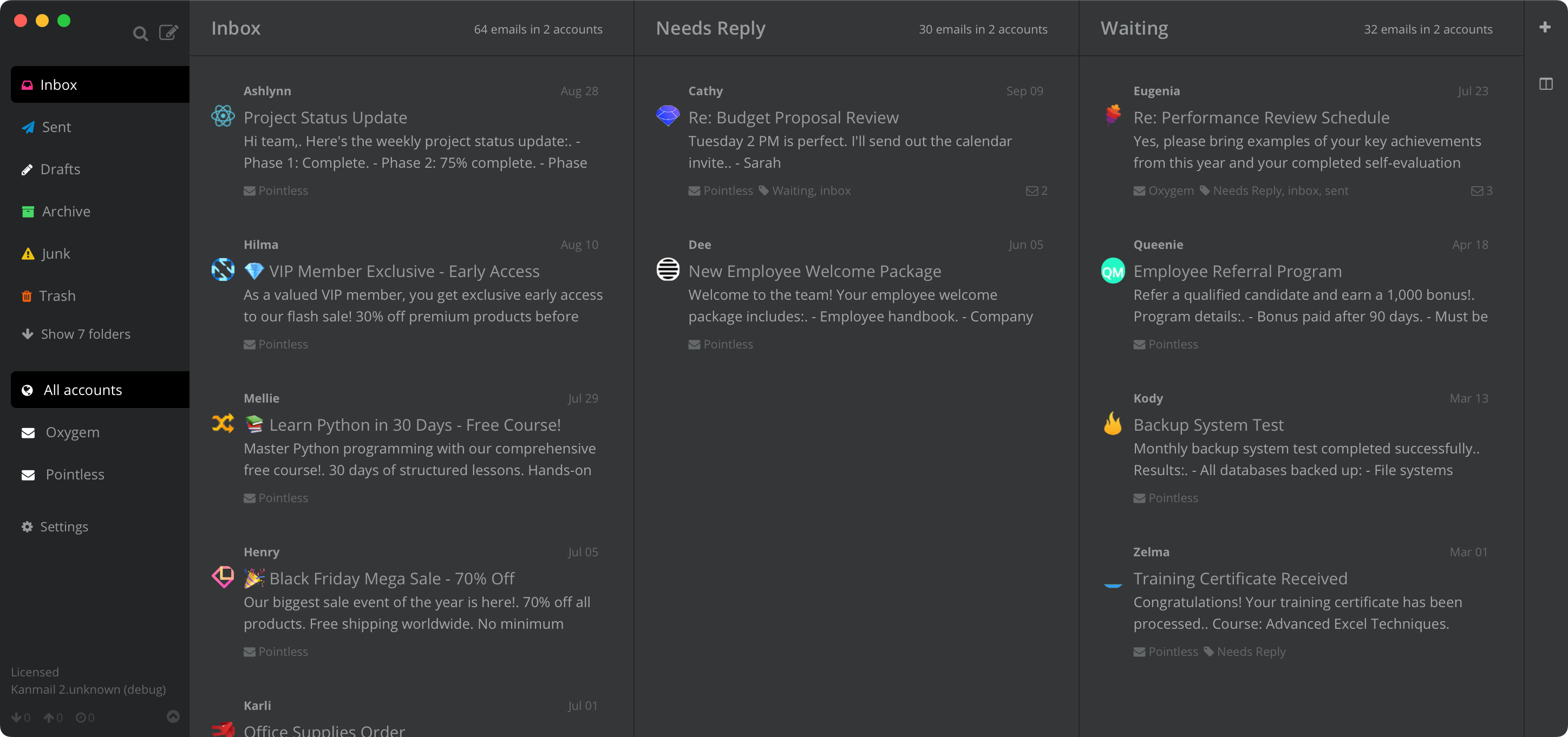
Kanmail is a Windows email client that turns your inbox into columns you drag messages through, with Outlook.com, Gmail and every other account on one board.
Windows Mail is gone.Postbox too.
Microsoft switched off the Mail app at the end of 2024 and put the new Outlook in its place, with ads on free accounts and any Gmail account you add synced through Microsoft's data centres. Postbox stopped being sold or developed the same year. If you are picking what comes next, Kanmail is a different kind of answer: a board instead of a list, bought once.
Drag it,file it.
Pick the Outlook folders or Gmail labels that matter and Kanmail lays them out as columns. Dragging a card from Inbox to Needs Reply files the message on the server too, so your phone sees the same folders. Save different sets of columns as workflows and switch with Ctrl1-9.

Ctrl, not clicks.
Enter archives, M moves to another folder and Z undoes. CtrlK opens a command palette for everything else, and / searches every account at once.

Work, personal, and the old Hotmail.
Add as many accounts as you have and Kanmail merges them into one board, each tinted its own colour. Outlook.com, Hotmail and Microsoft 365 sign in through Microsoft's own page, though a work or school account may need your IT admin to approve the app first.

Installing
Three steps,one signed .exe.
Honest note: with no installer, Kanmail doesn't add itself to the Start menu, and mailto: links don't open in it on Windows yet (they do on macOS). It is an x64 build with no Arm-native version; Arm PCs run it through Windows 11's x64 emulation.
On Windows
Windows 10 or 11, light or dark
Taskbar badge · Ctrl shortcuts · Credential Manager · Updates in one click
The taskbar icon shows how many unread threads are waiting in your inbox, and Kanmail follows your Windows light or dark setting, inside emails too. When a new version is out, an Update Kanmail link appears in the sidebar. One click downloads it, checks its checksum and swaps it in for the old .exe, and a restart finishes the job.

Your mail never touches our servers.
Nothing in the middle
New Outlook syncs any Gmail or Yahoo account you add through Microsoft's data centres. Kanmail connects your PC straight to each provider over IMAP, and messages cache locally and stay there. Tracking pixels are blocked and remote images hidden by default.
Secrets in Credential Manager
Passwords and sign-in tokens live in Windows Credential Manager, never in a config file. Outlook and Gmail sign in through their own pages, so the app never sees those passwords, and Kanmail is source-available if you would rather read the code than take our word for it.
Getting started · Security overview · Switching from Mailbird · How Kanmail compares to other Windows clients
No subscription, on any platform
$49. Once.
Free to evaluate for as long as you need, no card. Then it is $49 once for one person, unlimited devices, on any mix of Windows, Mac and Linux, and it covers every Kanmail v2 release.
x64 · Windows 10+
Also: Kanban for Outlook · Gmail · vs Outlook · vs Mailbird · vs eM Client · vs Thunderbird · vs Postbox