
Sort Yahoo Mail bywhat happens next.
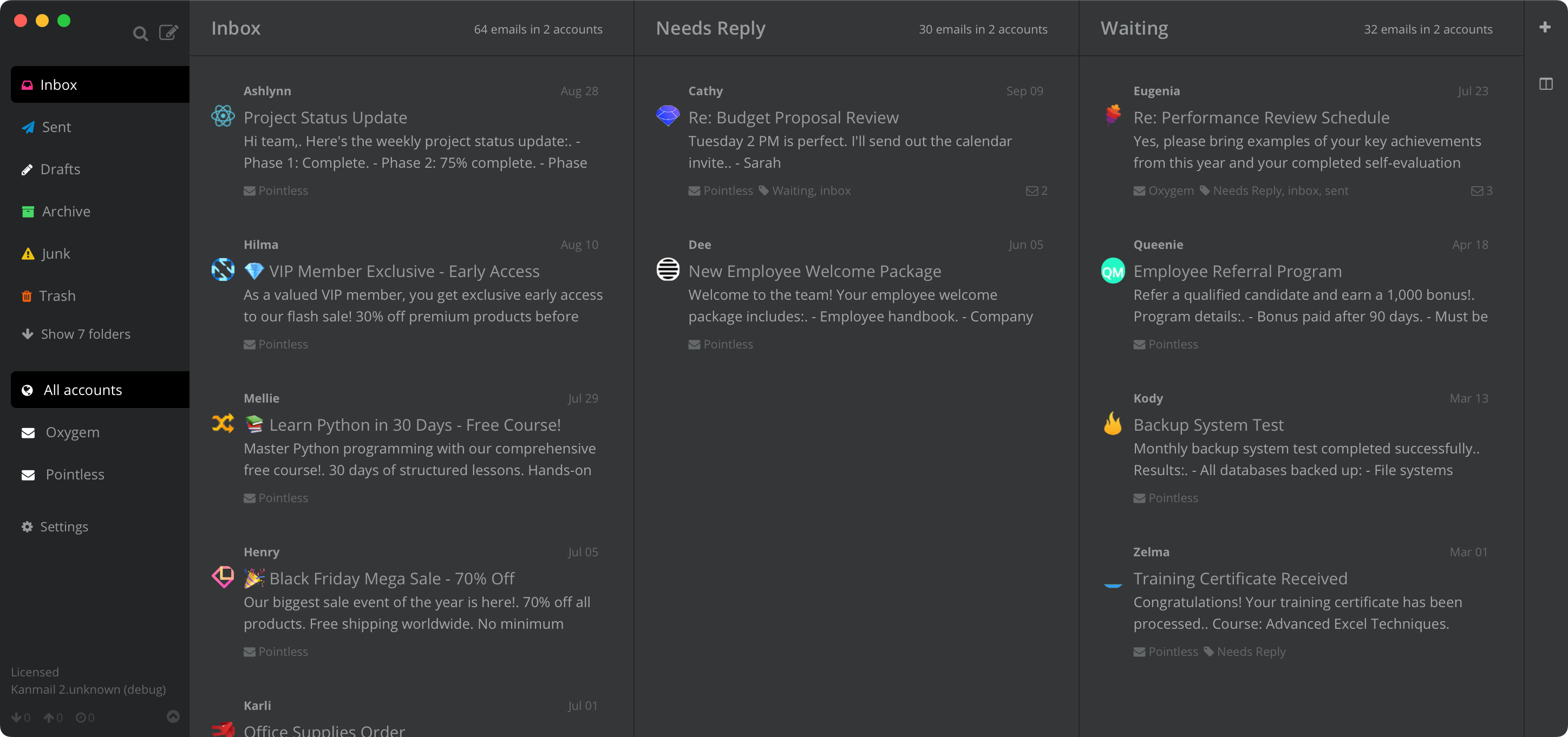
Drag email out of your Yahoo inbox into columns like Needs Reply and Waiting. Each column is a Yahoo folder, so the web app and your phone see every move.
Fifteen years of inbox.One screen to sort it.
An address that's been around as long as your Yahoo one collects everything: newsletters, receipts, and the handful of people who still matter. Kanmail gives the mail you need to act on a column of its own, so it stops drowning in the rest.
Folders becomecolumns.
Pin the folders you actually use side by side and drag messages between them. Every move syncs back to Yahoo, so the web app and your phone always agree with the board.

Unsubscribe without the detour.
Years of mailing lists are one click each to leave, straight from the app. Tracking pixels are stripped too, so senders can't tell when you opened their email.

Old address, new accounts, one view.
Put your Yahoo next to your Gmail and work Outlook on the same board. Each account gets a color accent, so you always know which address a thread landed on.

In practice
A life-admin board
Inbox → Needs Reply → Waiting
Bills that need dealing with get dragged to Needs Reply, anything blocked on someone else sits in Waiting, and the inbox column goes back to being just what's new.

Your mail staysbetween you and Yahoo.
Sign in with an app password
Yahoo requires an app password for third-party email apps. Generate one in your Yahoo account security settings, paste it into Kanmail, and you're connected. Your real password never leaves Yahoo, and you can revoke the app password there at any time.
No server in the middle
Kanmail runs on your machine and speaks IMAP and SMTP directly to Yahoo. There's no server of ours in between and no copy of your mail in anyone else's cloud; messages cache locally so the board stays fast.
Try Kanmail with Yahoo Mail
$49. Once.
Free for as long as you like, no card. Pay once and get every v2 update.
macOS, Windows & Linux
Also: Kanban for Gmail · Outlook · iCloud · Fastmail · Proton Mail