Inbox. Meet board.
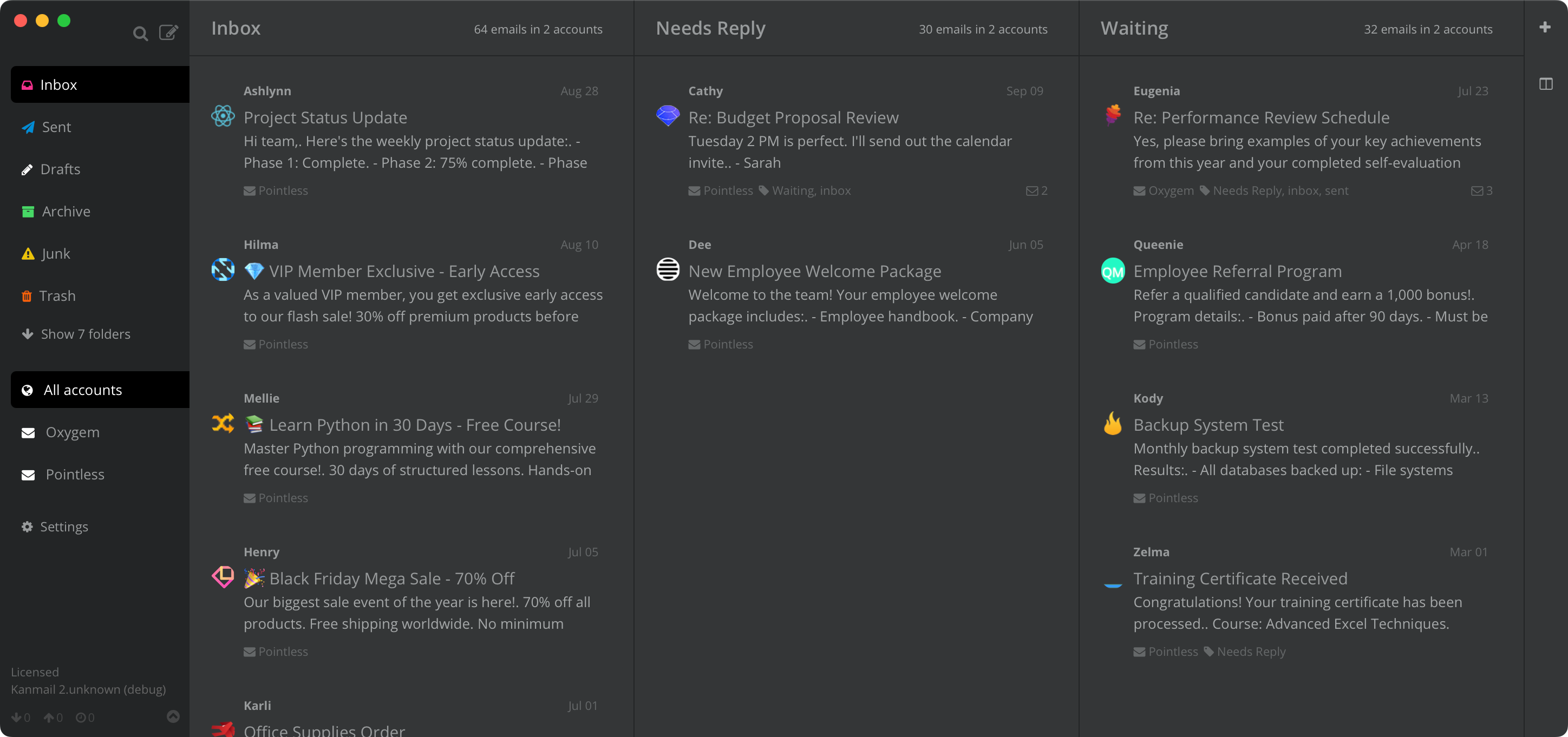
Kanmail turns your email into a kanban board. All your accounts in one view, every email a card you can pick up and move.
Free to try · $49 once, yours forever · Also for other platforms
Couldn't play the video. Try again or watch it directly.
Works with every account you have






Your work isn't a list.
So why is your email?
Some messages need a reply, some need chasing, some are stuck waiting on other people. A single chronological list hides all of that. Columns make it obvious.
Drag, drop,
dealt with.
Every email is a card you can pick up and move. Build columns from any folders, in any combination. Your board, your rules.

One inbox, every workflow.
Save columns for support, your side hustle, your life admin. Press ⌘1-9 to switch between them.

Spot who matters.
Color-code accounts and senders so the emails that matter jump out before you read a subject line.

Never touch
the mouse.
Shortcuts for everything: fly between columns and emails, then archive, delete or move with a single key.
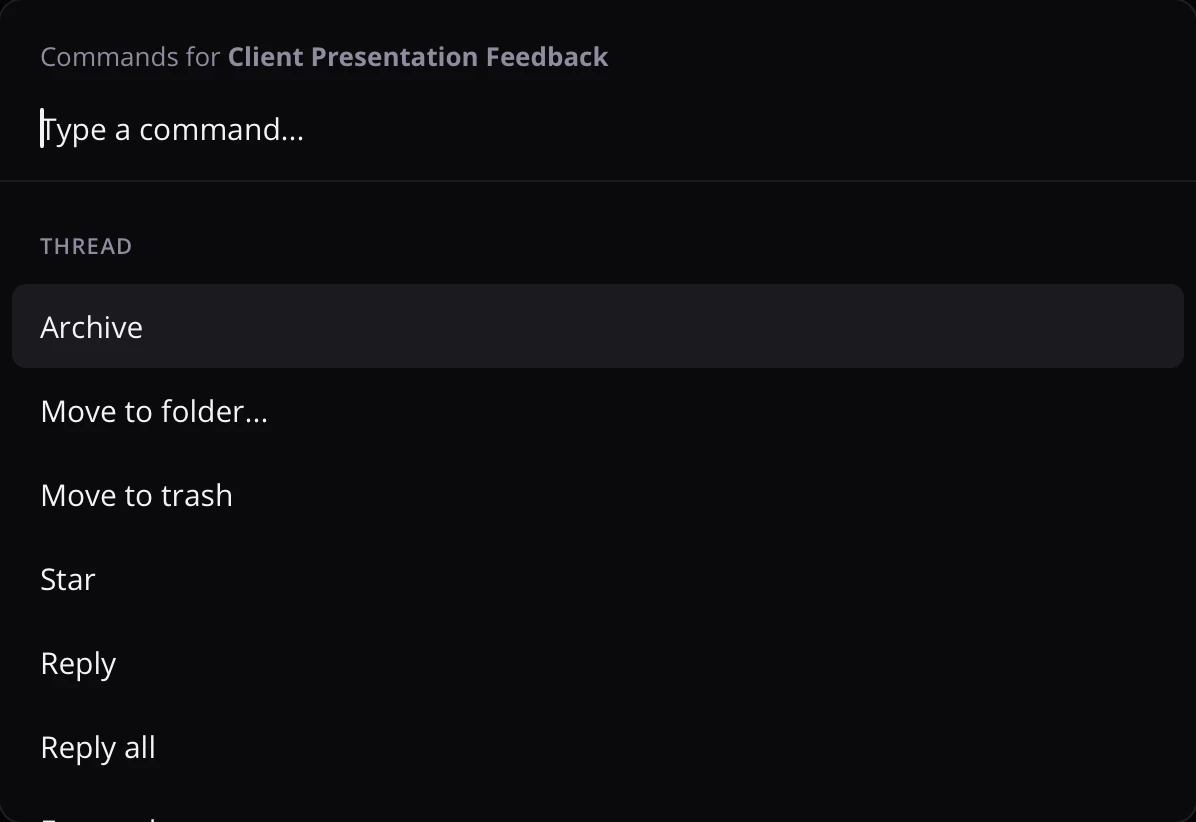
- Command palette⌘K
- UndoZ
- Move to another folderM
- Archive threadEnter
- ReplyR
- Switch workflow view⌘1-9
- Search everything/
And every shortcut is rebindable in settings.
All shortcuts →Find anything. Anywhere.
One box searches every account at once, across the columns on your board plus Archive and Trash. Press / from anywhere.
On Gmail accounts, queries go straight to Gmail's own engine, so the real operators just work. Other accounts get the common operators translated into a standard IMAP search on your mail server.

Lighter than your browser tab.
No Electron, no bundled browser. Kanmail is a native Go app on your system's webview. It opens mailboxes instantly, loading recent mail first and more as you scroll.
~40 MB
The entire app, one binary
Push
New mail shows up fast: IMAP IDLE where the server supports it, plus a sync every 30 seconds by default
Offline
Reads work from the local cache, connection or not
Private by design.
Kanmail is a desktop email client for macOS, Windows and Linux that talks directly to your email provider. Your mail never touches our servers. No scanning, no profiles, no surprises.
Trackers blocked by default
Tracking pixels and remote images are stripped automatically, with a counter on each email showing how many were blocked. Nobody knows when, or whether, you opened it.
One-click unsubscribe
Kill any mailing list instantly. No sketchy unsubscribe pages, no forms, gone for good.
Secrets in your OS keychain
Passwords and OAuth tokens live in the macOS Keychain or Windows Credential Manager, never in a config file.
An app you can audit
Kanmail is source-available, so you can read exactly what the app does with your mail.
And everything you'd expect.
- Rich-text compose with inline quick reply
- Real threading across accounts and folders
- Light & dark themes, inside emails too
- Interface zoom from 0.5× to 2.5×
- Dock unread badges where you expect them
- Safe auto-updates checksum-verified
- Contact avatars on your cards
- Offline reading from the local cache
No subscription. No usage limits.
$49. Once.
Free to try for as long as you need. Pay once, own it forever, updates included.